Do you dream of appearing on the first page of Google without spending a cent on advertising? ? Not only is it possible, but it's within the reach of any business, whether it's a large chain or a small local shop.
The solution is called Google Profile, which you may know by its former name: Google My Business. This free 100% tool, offered directly by Google, lets you create a professional listing that appears at the top of search results, even ahead of conventional websites. An essential complement to a SEO strategy The well-designed Google listing gives you greater local visibility and quick access to all your online presence.
And the most impressive? The local pack that famous box with a map and three establishments that appears at the top of Google appears in 93% research when local intent is detected. In other words, as soon as an Internet user searches for a product or service close to home, Google gives priority to Google Business Profile listings.
So, how do you create your Google My Business listing, why is it essential for your local visibility, and how do you optimize it to land that coveted top spot? We explain it all in this comprehensive guide.
What exactly is Google Business Profile?
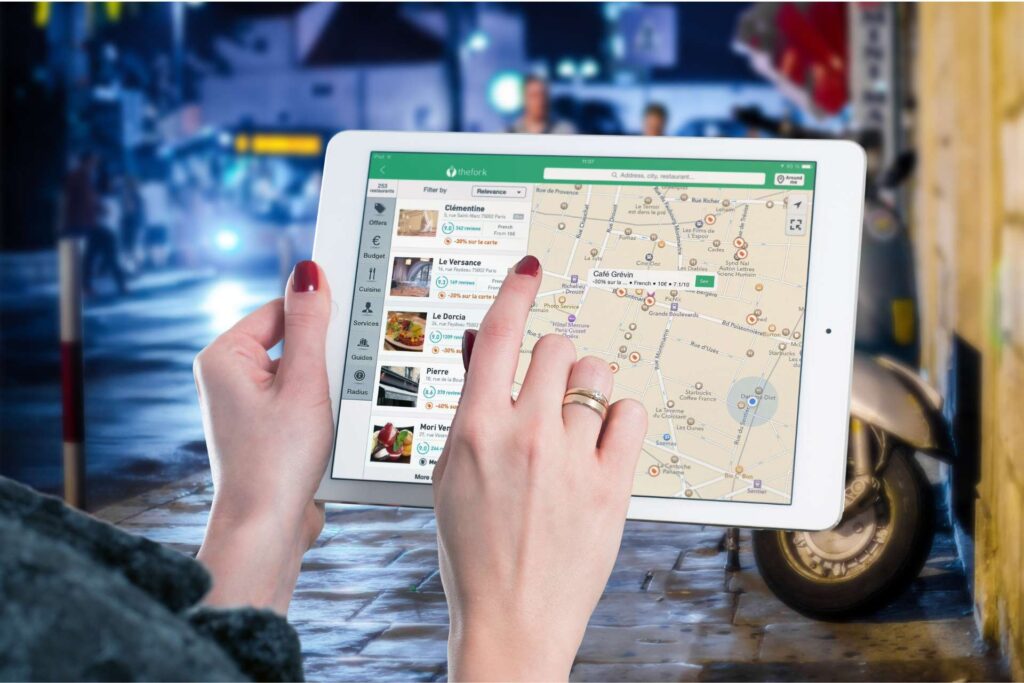
If you've ever searched for a restaurant, plumber or store on Google, you're bound to have seen a Google Business Profile without knowing it. It's this digital identity card that appears on the right-hand side of your screen or in the local pack, with the establishment's name, opening hours, address, customer reviews and photos.
From Google My Business to Google Business Profile: understanding the evolution
In 2021, Google has decided to rename its tool « Google My Business » in «Google Business Profile». A simple name change, but one that reflects a broader ambition: to simplify the management of one's online presence directly from Google Search and Google Maps, without the need for a dedicated application. So don't be surprised if you're still hearing about «Google My Business» or the acronym «GMB» - the two terms refer to exactly the same tool.
Who can create a Google Business Profile?
This tool is designed for any business with a physical presence or geographical area of operation: shops, restaurants, medical practices, craftsmen, agencies, and many others. Whether you're a small business, a medium-sized enterprise or a large network of retail outlets, Google Business Profile is for you. Not sure where to start? Our specialized agency will create and optimize your Google Business Profile for you, so you can concentrate on your core business.

Read also
The impact of AI on SEO: opportunities and challenges
Creating a Google My Business account: where to start?
Before you can create your listing and appear on Google, the first step is to have a Google account. If you already use Gmail, Google Drive or YouTube, you already have a Google account and can proceed directly to the next step. Otherwise, simply go to google.com and create a free account in just a few minutes.
Access the management interface
Once you have logged in to your Google account, go to business.google.com, From this interface, you can create and manage your company profile. Click on «Manage now», then follow the steps to enter your company's initial details: name, business category and address.
Checking out your establishment: an essential step
Once you have created your listing, Google will ask you to verify that you are the owner of the establishment. This step is mandatory for your listing to be publicly visible on Google. There are several verification methods available, depending on your situation:
- By post Google sends you a code to the address of your establishment, which you then enter in your interface. This is the most common method.
- By telephone or e-mail Available for certain companies, verification is almost instantaneous.
- By video Google may also ask you to film your establishment to confirm your identity.
Once this check has been carried out, your listing will be officially online and visible to all Internet users searching for your type of activity in your geographical area.
Creating a Google My Business listing: a step-by-step guide
Now that your account has been created and your establishment verified, it's time to move on to the most important step: complete and optimize your Google My Business listing. Because a well-compiled listing guarantees better visibility on Google. The more complete your listing, the more relevant Google deems it to be, and the higher its ranking in search results.
Essential information
Here are the key elements to complete in priority to make your form effective:
- The name of your establishment Use your exact business name, without adding artificial keywords. Google penalizes entries that try to cheat on this point.
- Activity category This is one of the most important criteria for your local SEO. Choose the main category that best corresponds to your activity, then add secondary categories if necessary.
- Address and geographical area Enter your exact address if you welcome customers on your premises, or define an area of intervention if you visit your customers.
- Opening hours This is an important detail, since 54% of consumers look for opening times among local information. Don't forget to include special opening times for public holidays and vacation periods.
- Telephone number and website Make it easy to get in touch with your potential customers by providing this information right from the start.
- Description of your establishment You can use this space to present your business, your values and what sets you apart from the competition. You have 750 characters at your disposal, so use them wisely and integrate your keywords naturally.
- The photos The most important thing to remember: add at least one photo of the facade, one photo of the interior and one photo of your products or services. Photo listings are twice as likely to arouse user interest.
Common mistakes to avoid
Creating a Google My Business listing may seem straightforward, but there are a few mistakes you can make that could harm your local SEO. Here are the most common pitfalls:
Failing to check your establishment and leaving your listing inactive, filling in inconsistent information between your Google listing, website and social networks, neglecting to regularly update your opening hours, or never responding to customer reviews. These mistakes send the wrong signals to Google and can cause your ranking in search results to plummet.
Choosing the right business category
The choice of category is a strategic decision not to be taken lightly. Google uses this information to decide in which searches to display your listing. For example, if you're a baker, choose «Bakery» as your main category, rather than something too generic like «Food». The more specific your category, the greater your chances of appearing in searches relevant to your business.
Why does Google Business Profile put you on the front page?
Creating a Google Business Profile is one thing. But understanding why this tool allows you to appear on the first page of Google is even better. To do this, we need to look at two key mechanisms: the local pack and Google Maps.
How the Local Pack works
When an Internet user performs a search with local intent, for example «bakery near me» or «plumber Paris 15», Google doesn't just display a list of classic websites. It gives priority to a special box called the local pack, with a Google Maps map and three featured establishments.
That's exactly where you want to be. And the good news is that these three positions aren't reserved for the biggest advertising budgets. Google awards them to the Google Business Profile listings it deems most relevant, most complete and most optimized in relation to the user's search. In other words, a small, well-referenced local business can easily outrank a large group in these results.
The Google Maps link: automatic geolocation
When you create your Google Business Profile, you are automatically listed on Google Maps. This is a considerable advantage, as Google Maps is now much more than just a navigation tool. Internet users use it to discover businesses, consult reviews, check opening times and get directions to an establishment.
In concrete terms, this means that as soon as a potential customer is in the vicinity of your establishment and performs a search related to your activity, your listing can appear directly on the map, along with all your information. A real lever for attracting point-of-sale traffic without any advertising investment.
Figures that speak for themselves
Here are a few dizzying facts about Google Business Profile's real impact on your local visibility. The local pack appears in 93% research when local intent is detected by Google. In addition, 4 out of 5 consumers use search engines to find information about local businesses. Ignoring Google Business Profile means missing out on the vast majority of your potential customers who are looking for you online.
The concrete benefits of Google Business Profile for your business
More than just visibility on Google, Google Business Profile is a real business development tool. Here are the 6 concrete advantages that make this tool a must-have for any company looking to boost its local presence.
Boost your local SEO visibility
Google Business Profile is one of the most powerful levers for improving your local SEO. Local SEO. Thanks to the information you enter in your listing-address, telephone number, opening hours, reviews, website-Google has all the information it needs to suggest you to visitors searching for your type of business in your geographical area. The more complete and regularly updated your listing is, the more relevant Google considers it to be, and the higher up the results it appears.
Be present on Google Maps
As we saw earlier, creating a Google Business Profile allows you to be automatically geolocated on Google Maps. Potential customers can then easily find you on the map, consult your information and obtain directions to your premises with a single click. A simple but highly effective way of attracting new customers to your point of sale.
Attracting more customers to the point of sale
A well-informed and regularly updated Google Business Profile is a powerful driver of physical traffic. By providing information on your opening hours, address and services, you make it easier for new customers to visit your establishment. In some sectors, such as catering, you can even integrate a Google Business Profile directly into your website. reservation module on their listing, enabling customers to book a table online instantly. A well-informed customer is a customer who travels with confidence.
Managing your e-reputation through reviews
Customer reviews have become a major decision-making criterion for consumers. According to a study, 86% of Internet users consult online reviews before visiting an establishment, and 91% of 18-34 year-olds trust positive reviews as much as personal recommendations. Google Business
Profile allows you to collect these reviews directly on your listing, respond to them publicly and thus enhance your online image. Taking the time to respond to every review, whether positive or negative, sends a strong signal both to your customers and to Google, which takes them into account in its ranking algorithm.
Give a professional image with photos and videos
Google Business Profile offers you the possibility of enriching your profile with photos and videos of your establishment, products or services. This is a feature not to be overlooked: listings featuring photos and a virtual tour are twice as likely to arouse the interest of users. By taking care of the visual content of your listing, you create a real digital showcase of your establishment that makes Internet users want to visit you.
Communicate via Google Posts
Not many professionals know this, but Google Business Profile allows you to publish posts directly on your listing, just like a social network. These posts can be used to announce a promotion, publicize an event, present a new product or service, or highlight your newsletter. Incorporating a photo, text and a call to action, these posts are directly visible in Google search results, and are an excellent way of drawing web users' attention to your news.
Optimize your Google Business Profile for maximum impact
Creating a Google Business Profile is an essential first step, but it's not enough to stand out from the competition. To make the most of this tool and maintain your position on the first page of Google, it's essential to adopt an ongoing optimization strategy.
Regularly update your information
A Google Business Profile is not something you create once and forget about. It must be kept up to date at all times. In particular, remember to modify your opening hours for public holidays, vacation periods or any permanent changes. Remember that 54% of consumers look for opening times among local information. A customer who goes out of his way for nothing because of incorrect opening times is a lost customer, and potentially a negative review.
Respond to customer reviews without exception
Responding to customer reviews, whether positive or negative, is an essential part of maintaining your e-reputation and improving your local SEO. For positive reviews, a simple, personalized thank-you message is enough to build customer loyalty and show that you're listening. For negative reviews, keep calm, respond professionally and offer a solution. A well-formulated response to a negative review can even reassure future customers of your seriousness and sense of service.
Publish Google Posts regularly
As on social networks, regularity is key on Google Business Profile. Publish posts at least once or twice a month to let Google know that your listing is active and up-to-date. These publications are also an excellent way of highlighting your special offers, news or events directly in the search results, where your potential customers are looking for you.
Take care of your photos and renew them
Don't just add a few photos when you create your listing. Regularly enrich your gallery with quality visuals that reflect the evolution of your establishment, products or services. A listing with recent, attractive photos inspires confidence and makes visitors want to take the plunge. Choose photos that are bright, well framed and representative of your business.
Complete the Questions/Answers section
Google Business Profile has an often overlooked feature: the Questions / Answers. Don't wait for visitors to ask questions before adding to your site. Anticipate your customers' most frequently asked questions - rates, parking, accessibility, payment methods - and answer them yourself. This will enrich your listing, reassure your prospects and improve your SEO.
Analyze your statistics to improve
Last but not least, Google Business Profile provides you with a dashboard showing detailed statistics on the performance of your listing: number of views, clicks, phone calls generated, route requests, etc. Analyze this data regularly to understand what's working, identify areas for improvement and adjust your strategy accordingly.
Conclusion
Google Business Profile is much more than just an online directory. It's a strategic tool, free and accessible to all businesses, that enables you to appear on the first page of Google without investing in advertising. From the creation of your listing to its ongoing optimization, every action you take on Google Business Profile is a step towards greater local visibility, a solid e-reputation and steadily increasing point-of-sale traffic.
In a world where 4 out of 5 consumers use Google to find a local business, not having an optimized Google Business Profile means leaving the field wide open to your competitors. So don't wait any longer: create or optimize your listing today and give your business the visibility it deserves. Need personalized support? Our agency takes care of creating and optimizing your Google Business Profile to guarantee you the best results.
Faq
What exactly is Google business profile?
Google business profile (ex google my business) is a free listing created by google that displays your business in search results and on google maps, along with your opening hours, address, reviews and photos.
Are Google my business and Google business profile the same thing?
Yes, Google my business has simply been renamed google business profile. Both terms refer to the same tool, and you may still hear “gmb” as a habit.
Who can create a google business profile?
Any company with a physical address or area of operation can create a listing. This includes shops, restaurants, practices, craftsmen, agencies and companies that visit their customers.
Creating a google my business account: do I need a gmail account?
Yes, you need a google account. If you already have gmail, you already have an account. If not, you can create one for free.
Creating a google my business page: where to start?
You can start from business.google.com or directly from google search by typing in your company name and following the steps to create or claim a listing.
Creating a google my business listing: is validation compulsory?
Yes. Until the establishment is verified, the listing cannot be fully viewed and managed. Validation proves that you are the owner.
How long does it take to check the facility?
It depends on the method. Mail can take several days. Phone, e-mail or video may be faster if google offers them for your business.
Can I create a google business profile without a public address?
Yes, if you're visiting your customers, you can hide the address and define an intervention zone.
Why doesn't my listing appear on the first page immediately?
It can take a while for a listing to rise to the top. Visibility also depends on the completeness of the listing, the relevance of the category, the quality of the information, reviews and regular activity.
What is the most important information to fill in?
The business category is crucial. This is followed by opening hours, address or area, telephone number, description, services, photos and reviews.
How to get more customer reviews without insisting?
Ask at the right time, just after a satisfying experience. Send a simple message with a direct link. Respond systematically to reviews to show you're active.
Are google posts really useful?
Yes, posts are a great way to show that your listing is alive and kicking, and to highlight an offer, event, novelty or news that can be seen directly on your listing.
What mistakes can cost you visibility?
Inconsistencies in information, duplicate listings, out-of-date schedules, wrongly chosen category, lack of photos, lack of reviews and lack of responses to reviews.
Can I manage several establishments on a single account?
Yes, it's even recommended to centralize management and share access with a team or agency.