#nocode

Notion

Notion is an online task management and collaboration platform. It allows users to create pages and databases to manage all kinds of content, such as notes, tasks, projects and wikis. Users can also integrate data from other applications and services, allowing them to manage all their content in one place. Notion is popular with teams and individuals for its flexibility and project management power.

Why use Notion ?

Notion is a task and note management software that has gained popularity in recent years due to its flexibility and ease of use. It allows you to create pages and databases to organize all aspects of your personal and professional life.

Notion is available on multiple platforms, including the web, iOS and Android. It can also be integrated with other tools such as Slack, Trello and Google Calendar.

One of the main strengths of Notion is its unlimited customization. You can create pages and databases to your liking and add different types of content, such as notes, lists, tables, image galleries and even social media widgets. You can also choose from a variety of predefined templates to speed up the creation process.

Notion also offers a real-time collaboration feature, making it an ideal tool for teamwork. You can share your pages and databases with others and work together in real time on the same document. Notion also includes a commenting and notification system to track the progress and changes made by different team members.

In addition to its task and note management features, Notion also offers integration with other tools such as Asana, Trello and Evernote. This makes it easy to sync tasks and notes between different tools and get the best experience possible.

In summary, Notion is a versatile and easy-to-use software that allows you to manage all aspects of your personal and professional life. Its unlimited customization and real-time collaboration functionality make it a very popular tool for users.
Key benefits of Notion

Notion is very flexible and allows users to customize their workspace to their needs. You can create databases to store and organize your data, add custom fields to add additional information, and use views to display data in different ways.

Overview

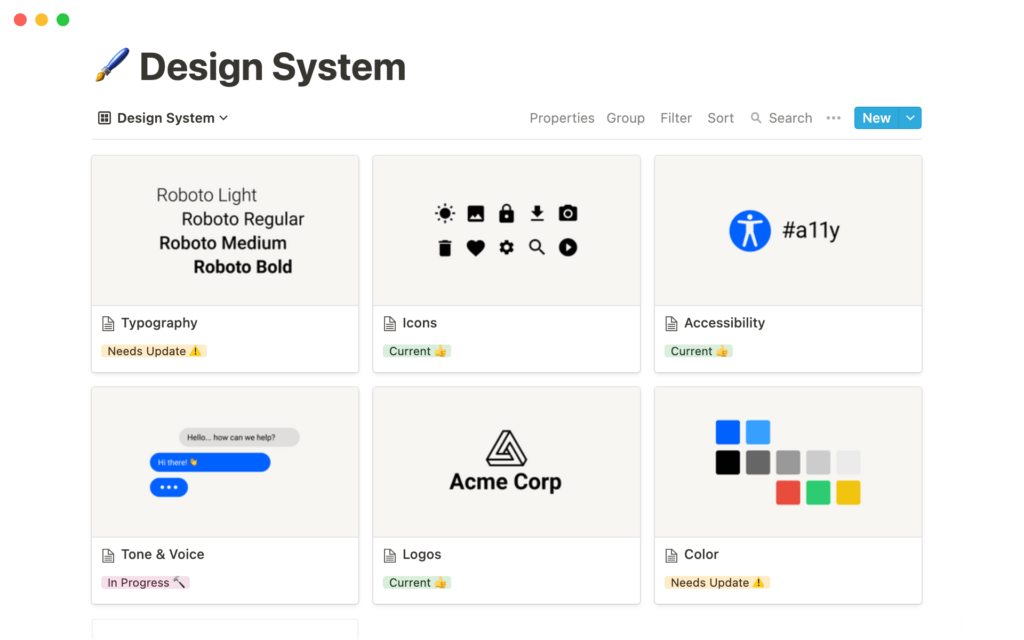
it allows you to create pages and databases to manage all kinds of content

Discover Notion now

#Colors
Colorsandfonts allows to find combinations of colors and fonts.
#API and data
Mockoon is the easiest and fastest way to run Mock APIs locally.
#Frameworks
Create beautiful lifestyles and document all your design system resources in one place
#video editing
Automatically turn long videos into short data-driven clips for social networks. Munch generates exposure and engagement by collecting the top interests of users on TikTok, IG, YT and FB and applying it to your AI-generated clips
#life assistant
Audiobooks narrated by a text-to-speech AI are now available through Apple Books. Initially available only for romance and fiction books, where they list two digital voices available: Madison and Jackson.
#Logo
Logo generator for your future company or your Side Project.
#Marketing and emails
Sparrow Charts is a graphical technique used to visualize and analyze your social media data. It is composed of a grid of dots or small icons called sparrows that represent the data values. The sparrows are arranged on a grid that consists of horizontal and vertical lines and is used to represent the different data values. The sparrows can be colored to reflect the relative value of the data to facilitate analysis and reporting. Sparrow Charts are very useful for continuously changing data, as they provide a quick and clear visual representation of the data.
#Inspiration
Handpicked design inspiration for your real-life projects

In the same category