#Chrome Extensions

Refined github

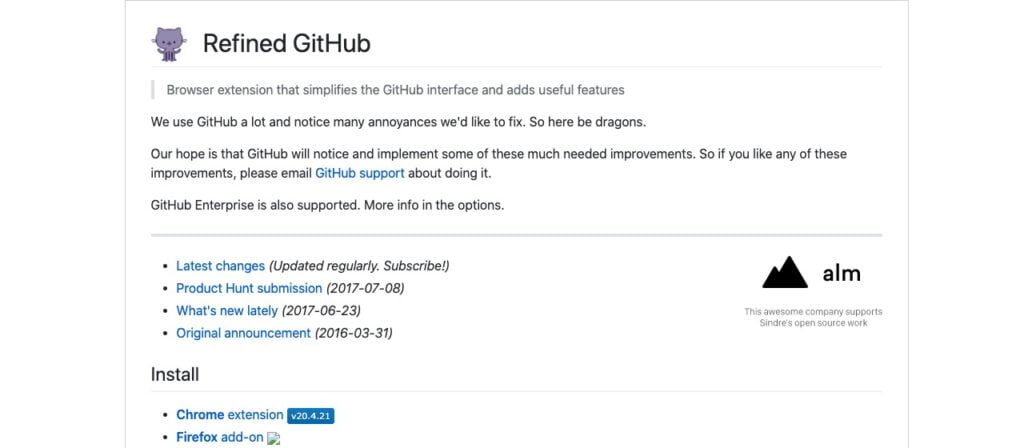
Browser extension that simplifies the GitHub interface and adds useful features.

Why use Refined github ?

Refined GitHub is a software that aims to improve the user experience on the online software development platform GitHub. It is a browser extension that can be installed on Chrome, Firefox, Safari and Edge.

One of the main features of Refined GitHub is the ability to add keyboard shortcuts to quickly access different parts of the GitHub interface. For example, it is possible to go directly from a commit to its diff using the "d" key, or to navigate between the different pages of a project using the "n" and "p" keys.

Refined GitHub also allows you to customize the appearance of the GitHub interface. It is possible to change the color of the interface elements, to hide some elements that are not useful or to move them in the interface for a better readability.

In addition, Refined GitHub offers better notification management. It is possible to filter notifications by type (e.g., only receive notifications of commits or pull requests) and mark them as read directly from the notification interface.

Refined GitHub also offers a series of tools to facilitate collaboration on projects. For example, it is possible to create links directly to lines of code or to comment directly on a commit or pull request without having to navigate to a new page.

Finally, Refined GitHub offers a set of shortcuts to quickly access different parts of the GitHub interface. For example, it is possible to quickly access the statistics of a project by using the "s" key, or to navigate between the different pages of a project by using the "n" and "p" keys.

In summary, Refined GitHub is a very useful tool for GitHub users who want to improve their working experience on the platform. Thanks to its many features and interface customization, it makes it possible to work more efficiently on projects and collaborate better with other team members.

Key benefits of Refined github

Advanced search tools: Refined GitHub offers additional search tools, such as keyword search or repository navigation.

Overview

Browser extension that simplifies the GitHub interface and adds useful features.

Discover Refined github now

#research
Calculate expert-level answers using Wolfram's revolutionary algorithms, knowledge base, and artificial intelligence technology. Geared towards math, science and technology, society and culture, and everyday life topics.
Discover Lucide AI, the essential tool for ensuring the authenticity and originality of your content in the digital age, while avoiding plagiarism and promoting 100% human content.
#Finance
The stock alarm allows you to set real-time stock alerts to help you easily track a range of live actions, receive ...
#Marketing and emails
Sparrow Charts is a graphical technique used to visualize and analyze your social media data. It is composed of a grid of dots or small icons called sparrows that represent the data values. The sparrows are arranged on a grid that consists of horizontal and vertical lines and is used to represent the different data values. The sparrows can be colored to reflect the relative value of the data to facilitate analysis and reporting. Sparrow Charts are very useful for continuously changing data, as they provide a quick and clear visual representation of the data.
#Desktop applications
Dash gives your Mac Instant Offline Access to 200+ sets of API documentation.
#search engine
NeevaAI provides authentic AI search in real time. It combines the power of AI with a search stack to give you fast, accurate and up-to-date results. And, it provides sources from where the information was extracted.

In the same category