CANVID is a screen recording tool designed to help entrepreneurs, freelancers, and teams create more professional screen videos without complex editing. The tool combines recording, automatic zoom, webcam, audio enhancement, and subtitles in a simple and fast workflow.
CANVID screen recorder = less time ⏱️ + better quality 🎬 + accessibility 🎯
Creating a video from a screen recording can quickly become long and technical. Raw footage is often difficult to follow: important elements aren't always visible, the pacing lacks fluidity, and the overall presentation can seem unprofessional.
To achieve a good result, it's generally necessary to intervene after recording. This involves adding zooms, correcting the audio,’integrate a webcam, to cut out the video and structure the content. This work takes time and requires the use of several tools.
CANVID proposes a different approach. The tool doesn't just capture the screen; it also helps to directly improve video quality. Automatic zooms highlight important areas, making demonstrations easier to follow. The webcam allows for the addition of a human presence, which is often essential for creating engagement. Built-in audio enhancement makes voices clearer without external processing.
The goal is simple: reduce production time while improving the perceived quality of the video.
A simpler approach to video editing
With CANVID, users can record their screen and then quickly adjust the result in an interface designed to remain accessible. There's no need to master advanced editing software.
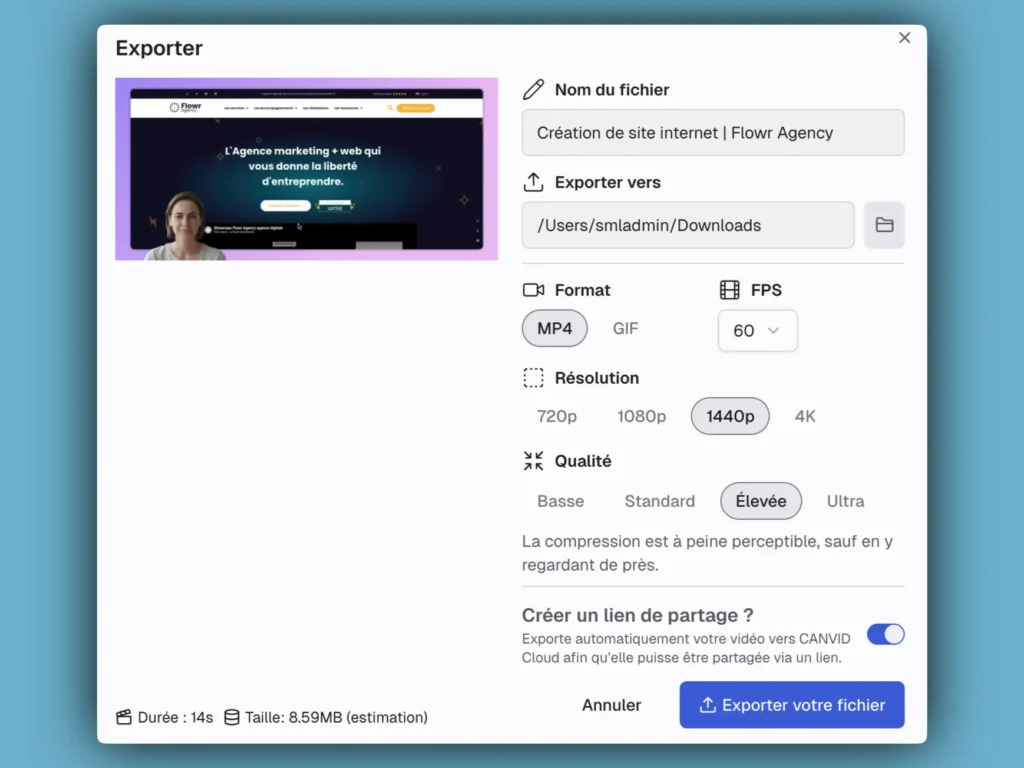
After recording, it is possible to review the video., to adjust the zooms, cut unnecessary passages, and prepare a shareable version. Subtitles add an extra layer of readability, especially for content intended to be watched without sound.
This approach allows for the production of cleaner, more structured videos while maintaining a fast workflow.
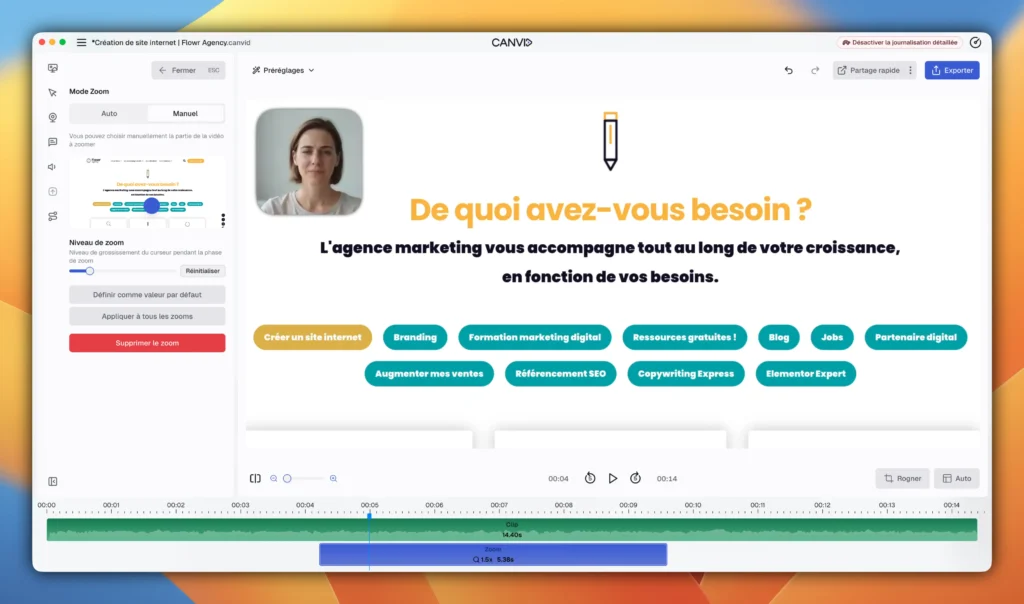
AI features designed for practical use
CANVID integrates several AI-based features that go beyond simple screen recording. The goal is not to add complexity, but to simplify the steps that usually take the most time in video creation.
One of the most useful features is automatic audio enhancement. CANVID uses a “sound clarity” function that cleans up audio by removing background noise, echo, or volume fluctuations. This results in a sound similar to a studio recording, even in imperfect environments.
The tool also offers an automatic subtitling and transcription system. After recording, the video is converted into text, which not only allows for adding subtitles but also makes it easier to navigate and edit the content.
CANVID also introduces advanced features like audio replacement. This feature allows you to correct a mistake after recording by replacing an audio phrase, without having to start the entire video over. The tool can generate a new version of the voice and integrate it directly into the content.
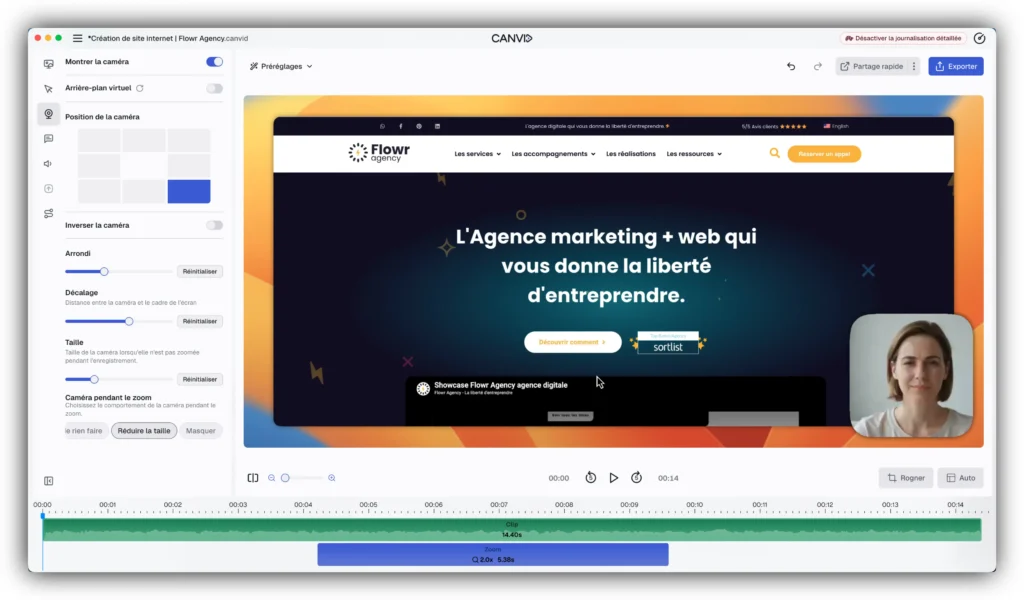
On the visual side, AI is also involved at the webcam level. CANVID allows you to remove or replace the background without a green screen, and offers a synthetic webcam feature. This makes it possible to generate a camera presence after the fact, from an existing recording, which avoids having to film yourself in real conditions every time.
Finally, all of these features can be used either locally or via the cloud, depending on the machine's capabilities. This allows for control over performance, data privacy, and processing time.
Ultimately, these AI features are not isolated additions. They are integrated into a cohesive workflow that transforms raw recordings into usable videos with less effort and fewer tools.
What are the uses for?
CANVID is suitable for many Use cases related to screen recording. It can be used to create product demonstrations, explain how a tool works, produce tutorials, or record presentations for clients or a team.
It is also useful for marketing or educational content, especially when clarity and speed of production are important.
Who is CANVID for?
CANVID is for professionals who regularly use screen video in their work. This includes entrepreneurs, freelancers, marketing teams, trainers, and SaaS companies.
The tool is particularly suitable for people who want to produce more engaging videos without investing too much time in editing. It allows for a simple process while achieving a more professional result than a classic recording.
Discover CANVID
Creating a clear and professional screen video shouldn't require multiple tools or extensive editing. CANVID offers a more straightforward approach to record, enhance, and share videos quickly.
 Read also
 The AI toolbox .
Discover a selection of the best AI tools to improve your productivity, create content and optimize your data in just a few clicks.
Frequently Asked Questions about CANVID
What are the main advantages of CANVID?
CANVID offers three major advantages:
Significant time savings: Turn raw footage into professional video in minutes, without going through multiple complex editing tools.
Professional quality without expertise: Thanks to its AI features (automatic zooms, audio enhancement, subtitles), create engaging videos even without editing knowledge.
3. Flexibility and accessibility: Suitable for entrepreneurs, freelancers, marketing teams, and SaaS companies. Works locally or in the cloud according to your needs.
What are the AI features of CANVID?
CANVID integrates several advanced AI features:
- Automatic Audio Enhancement: Remove background noise, echo, and volume variations for a studio-quality recording.
- Automatic subtitles and transcription: Converts the video to text to add subtitles and navigate content more easily.
- Audio Replacement Correct a mistake after recording by replacing an audio phrase without restarting the entire video.
- Synthetic webcam: Generate a post-production camera presence, without needing to film yourself in real conditions.
- Background suppression/replacement: Change your background without a green screen.
- Auto zooms: Highlight key areas to make demonstrations easier to follow.
Who is CANVID for?
CANVID is for all professionals who regularly use screen video in their work:
✓ Entrepreneurs and freelancers
✓ Marketing Teams
✓ Trainers and educational content creators
✓ SaaS Companies
✓ Consultants and coaches
✓ Digital content creators
The tool is particularly suitable for people who want to produce engaging videos without investing too much time in editing.
Does CANVID work locally or in the cloud?
CANVID offers total flexibility: you can use it locally or via the cloud, depending on your machine's capabilities and your preferences.
Advantages of local mode: Better data privacy, no internet dependency, faster processing.
Advantages of cloud mode: No installation, access from any device, automatic updates.
This flexibility allows you to maintain control over your performance, data privacy, and processing time.
What are the use cases for CANVID?
CANVID is suitable for many use cases:
📹 Product Demonstrations Showcase how your software or application works in a clear and engaging way.
📚 Tutorials: Create video guides to teach your users how to use your product.
🎓 Educational content Record courses, webinars, or online training.
💼 Professional presentations: Record presentations for your clients or your team.
📢 Marketing content Create marketing videos for your social media or website.
🎬 SaaS content Produce support videos, user guides, or feature demonstrations.
How long does it take to create a video with CANVID?
With CANVID, the process is considerably accelerated:
Recording: A few minutes (depending on the length of your demonstration)
Assembly/Improvement 5-15 minutes (adjusting zooms, cutting unnecessary sections, adding subtitles)
Total time: 10-30 minutes for a professional video
Compared to the 2-4 hours required with traditional editing software, CANVID saves you 80-90% of time!
Is technical expertise required to use CANVID?
No! CANVID is designed to be accessible to everyone, even without technical expertise in video editing.
The interface is designed to remain simple and intuitive. You don't need to master Adobe Premiere, DaVinci Resolve, or any other complex software.
AI features do the technical work for you: automatic audio enhancement, auto-generated captions, smart zoom, etc.
Just record, let the AI improve your video, and make a few minor adjustments if needed.


 Français
  English