#Project management

Trello

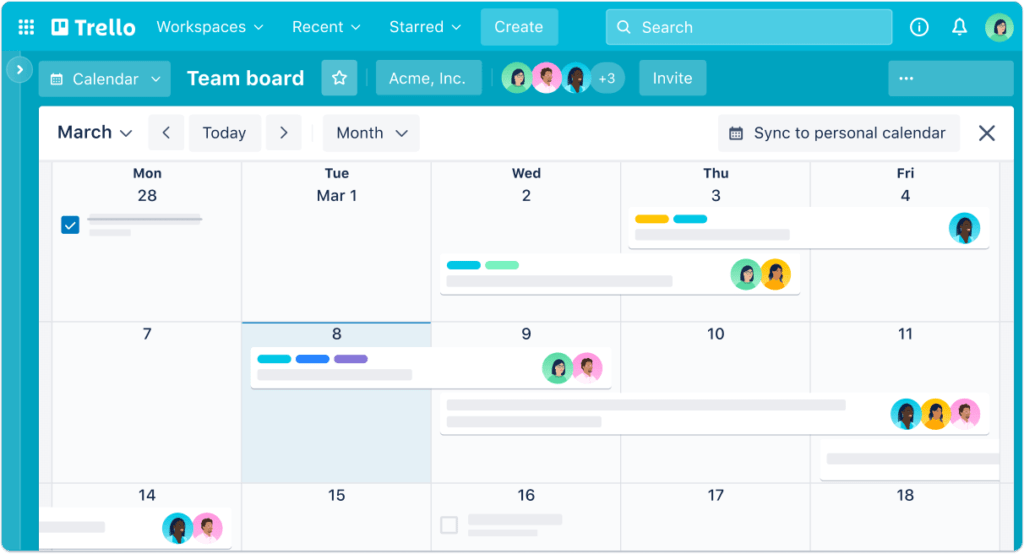
Trello is an online project management platform that allows users to create boards to organize and track their work. Trello boards are divided into columns, and each column can contain cards that represent tasks or ideas. Users can add details, comments, files and tags to the cards, allowing them to manage the details of their projects. Trello is popular with teams and individuals for its ease of use and flexibility.

Why use Trello ?

Trello is an online project management tool that allows you to create virtual boards to organize and track your tasks and projects. It is especially useful for work teams that need to share and coordinate their work efficiently.

One of the great things about Trello is how easy it is to use. You can create boards for each project and add cards for each task or assignment. You can also invite other members of your team to your board, allowing you to work together seamlessly.

Trello also gives you plenty of customization options. You can add color labels to categorize your cards, add deadlines to track the timeframe of each task, and even add attachments to share documents or files with your team.

In addition to these core features, Trello also offers a range of integrations with other popular tools such as Google Drive, Slack and Evernote. This allows you to connect your work on Trello with the other tools you use on a daily basis.

In short, Trello is an ideal online project management tool for work teams looking to improve their communication and collaboration. With its ease of use and numerous customization options, Trello allows you to better organize and track your projects efficiently.

Key benefits of Trello

Trello is very flexible and allows you to customize the boards and cards to your needs. You can add details, comments, files and labels to the cards to add additional information. You can also use filters and views to display data in different ways.

Overview

Trello is an online project management platform for a company

Discover Trello now

#art
AI Art Generator. Create amazing artworks using the power of artificial intelligence.
#Emailing
Tutanota is a secure mailbox that offers email encryption for both storage and transport. With Tutanota, you can create password encrypted emails, thus ensuring the privacy of your emails. Emails are stored on secure servers and are protected by a strong encryption system. Tutanota also allows you to send encrypted emails to recipients who do not have Tutanota. Moreover, you can manage your emails, contacts and calendars in a single application. Tutanota is a secure email solution that offers excellent privacy protection and can be used to send confidential and private messages.
#productivity
Ask any question, chat with voice messages and request images from AI on WhatsApp.
#Chrome Extensions
Get console errors directly on your page.
Tailwind CSS reacts components for your applications and websites.
#Automation
Train your own AI on documents, images or text data to perform daily repetitive tasks. No code required ...
#Logo
Logo generator for your company or side project. Ideal to get inspired before moving on to creation.
#Builders
GridDely is a deadly simple map-based website builder. Build original websites without coding, just by ...

In the same category